Introduction
As a telecom business grows, its billing requirements become more complex. Managing customer accounts, recurring charges, call detail records (CDRs), service subscriptions, invoices, payments and reporting through an outdated system can create unnecessary operational challenges. What may have worked when a business had a small customer base can become difficult to manage as services and transaction volumes increase.
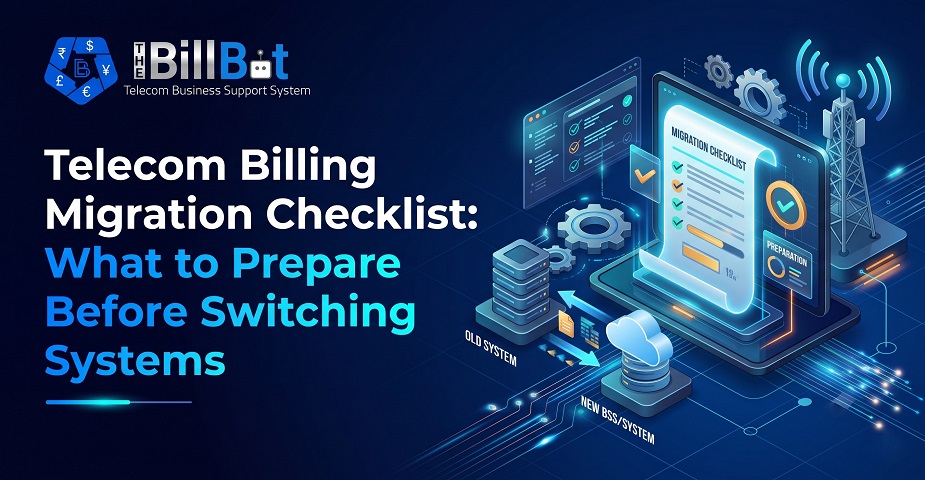
This is one of the main reasons telecom providers consider changing their billing platforms. However, switching systems is not simply a matter of installing new software and moving existing records. A successful Telecom Billing Migration requires careful planning, accurate data preparation, integration checks and proper testing.
Billing information is closely connected to customer relationships and business revenue. Even a small migration mistake can lead to incorrect invoices, missing usage records, payment discrepancies or interruptions in billing operations.
Whether a business is upgrading an existing platform or moving to a completely different solution, preparation makes a significant difference. This guide explains the important steps telecom providers should complete before switching systems, helping them approach migration with greater confidence and control.
1. Understand Why Your Business Needs a Billing Migration
Before starting a Telecom Billing System Migration, identify the problems with your current platform. Understanding the reasons behind the change helps you select the right replacement and establish clear migration goals.
Common reasons for switching billing systems include:
Limited scalability: The existing platform struggles to support increasing customer numbers, services or transaction volumes.
Manual billing processes: Employees spend too much time preparing invoices, processing payments and updating customer information.
Limited integration capabilities: The current system cannot connect effectively with PBX platforms, CRM tools, payment gateways or accounting software.
Reporting limitations: Business owners cannot easily access accurate information about revenue, customer usage or outstanding payments.
Complex pricing structures: Managing recurring charges, usage-based pricing and customer-specific rates becomes difficult.
Poor customer experience: Delayed invoices, incorrect charges and limited account visibility affect customer satisfaction.
Create a list of the problems you want the new platform to solve. This will help your business avoid moving to another system that has the same limitations.
2. Evaluate Your Existing Billing System
A detailed assessment of the current platform is an essential part of the Telecom Billing Migration Process.
Before moving information, understand exactly what your existing system manages. Telecom billing platforms often contain several years of customer, service, pricing, contract and payment information.
Review the following areas:
Customer profiles and account details
Active and inactive subscriptions
Products, packages and service configurations
Recurring and one-time charges
Usage records and CDR information
Customer-specific pricing and rate sheets
Generated invoices and credit notes
Payment records and outstanding balances
Tax settings and billing rules
Contract details and renewal dates
Reports and historical financial information
This assessment provides a clear picture of what needs to be transferred, what can be archived and what information requires correction.
It is also an opportunity to identify unused records, duplicate customer accounts and outdated service configurations before the migration begins.
3. Prepare and Clean Your Billing Data
Data preparation is one of the most important stages of any Billing Software Migration. Transferring inaccurate or incomplete information into a new platform can create problems that are difficult to identify later.
Start by reviewing the quality of your existing data.
Important data-cleaning activities include:
Removing duplicate customer records.
Correcting incomplete customer information.
Standardising phone numbers, addresses and account references.
Reviewing outdated products and packages.
Checking customer subscription statuses.
Verifying billing addresses and tax details.
Identifying missing contract information.
Checking outstanding balances and payment records.
Pay particular attention to customer identification numbers and account references. These should remain consistent wherever possible so that historical transactions can be matched with the correct customer.
A well-planned Billing Data Migration process should also include a backup of the original database. Keep this backup accessible throughout the transition in case information needs to be checked or recovered.
4. Create a Complete Telecom Billing Migration Checklist
A structured checklist helps teams understand their responsibilities and prevents important activities from being overlooked.
Your Telecom Billing Migration Checklist should cover the following areas:
Assign a responsible person to each area. This makes it easier to track progress and resolve issues before the actual migration.
5. Select the Right Telecom Billing Software
Choosing a suitable replacement is just as important as preparing your existing data.
The new Telecom Billing Software should support your current business operations while providing enough flexibility for future growth.
Consider the following capabilities when evaluating a platform.
Flexible billing models
Your system should support recurring subscriptions, one-time charges, usage-based billing and customer-specific pricing arrangements.
Automated billing operations
Look for features that simplify invoice generation, billing cycles, payment reminders and routine billing activities.
Customer and contract management
The platform should provide centralised customer records, subscription information, contract details and renewal tracking.
CDR processing
For VoIP providers and ITSPs, accurate usage processing and rating are essential. Check whether the platform can handle your CDR volumes and charging requirements.
Reporting and analytics
Choose a solution that provides clear insights into revenue, customer activity, billing performance and outstanding balances.
Integration capabilities
The new platform should connect with the systems your business already uses, reducing manual data entry and disconnected workflows.
A platform such as The Bill Bot can be considered when evaluating an integrated business support system for telecom providers, ITSPs and MSPs.
6. Map Your Existing Billing Processes to the New System
Every telecom business has its own billing structure. Some providers charge customers monthly, while others combine fixed subscriptions with usage-based charges, additional services and one-time fees.
Before switching systems, document how your current billing operations work.
For example:
When does each customer billing cycle start?
Are invoices generated monthly or on different dates?
How are recurring charges calculated?
How are call charges and other usage-based services rated?
How are discounts and special pricing applied?
How are failed payments and overdue invoices handled?
How are credit notes and billing adjustments processed?
Compare these processes with the capabilities of your new platform.
This step is particularly important when switching telecom billing systems because existing business rules may not automatically transfer to the replacement platform.
If a process needs to change, document the new workflow and communicate it to the employees responsible for billing operations.
7. Plan Your Telecom Data Migration Strategy
Once your data has been reviewed and your new platform selected, develop a clear migration strategy.
Telecom Data Migration involves transferring information from the existing platform into the new environment while maintaining accuracy and consistency.
There are several approaches to consider.
Full migration
All required records are transferred from the old system to the new platform. This approach can be suitable when historical customer and billing information needs to remain accessible in one place.
Phased migration
Data and customer groups are transferred in stages. This allows businesses to validate each stage before moving forward.
Historical data migration
Some businesses transfer active customer information, current balances and essential billing records while keeping older historical information in an accessible archive.
The right approach depends on the size of your customer base, data volume, system complexity and operational requirements.
Whichever approach you choose, define what information will be migrated, how it will be validated and who will approve the completed transfer.
8. Review Third-Party Integrations
Telecom billing platforms rarely operate independently. They often exchange information with several other business systems.
For this reason, integration planning should be included in every Telecom System Migration project.
Review the connections your existing platform currently uses, including:
PBX and VoIP platforms: For collecting call records and service usage information.
CRM systems: For accessing customer profiles, leads and account details.
Payment gateways: For processing online payments and managing transactions.
Accounting software: For synchronising invoices, payments and financial records.
Communication tools: For sending automated notifications, reminders and customer updates.
Reporting platforms: For accessing business performance and operational information.
Check whether the new platform supports the required APIs, connectors and data formats.
Also, identify whether any integrations require new credentials, configuration changes or development work.
Do not assume that an integration working with your existing system will automatically work with the replacement platform. Test each connection before the final migration.
9. Protect Customer Information and Financial Records
Billing systems contain commercially important and sometimes sensitive customer information. Protecting this information should remain a priority throughout the migration.
Before transferring data, review the security arrangements of both platforms.
Important considerations include:
User authentication and access controls.
Role-based permissions.
Secure data transfer methods.
Database backups and recovery procedures.
Encryption and data protection measures.
Audit logs and activity monitoring.
Data retention and deletion policies.
Only authorised employees should have access to migration files and customer information.
You should also establish a clear backup and recovery plan. If the migration fails or important information becomes corrupted, your team should know how to restore the original data and maintain business continuity.
For businesses operating in the UK or serving customers internationally, consider applicable data protection requirements, including UK GDPR where relevant.
10. Test the New Billing System Before Going Live
Testing is one of the most important steps before completing a Billing System Upgrade.
Even if the data has been transferred successfully, the new platform may still contain configuration errors that affect billing calculations and customer accounts.
Conduct testing using realistic business scenarios.
Customer account testing
Check whether customer profiles, contact information, service details and account references have transferred correctly.
Invoice testing
Generate sample invoices and compare the results with the expected charges from the previous system.
Recurring billing testing
Verify that subscriptions, billing dates and recurring charges are calculated correctly.
Usage billing testing
Process sample CDRs and confirm that usage records are rated using the correct pricing rules.
Payment testing
Check payment processing, reconciliation, outstanding balances and failed transaction handling.
Integration testing
Confirm that connected PBX, CRM, accounting and payment systems exchange information correctly.
Reporting testing
Compare financial reports, usage summaries and outstanding payment reports with the original platform.
Where possible, involve employees who regularly use the billing system. Their practical feedback can help identify issues that technical testing alone may miss.
11. Prepare Your Team and Communicate with Customers
A successful Telecom Billing Migration is not only a technical project. Employees and customers also need to be prepared for the change.
Your internal team should understand how the new system works before it becomes the primary billing platform.
Provide training for employees responsible for:
Customer account management.
Product and package configuration.
Billing cycle management.
Invoice generation.
Payment collection.
CDR processing.
Reporting and financial reconciliation.
Create simple process documentation so employees can refer to it when completing routine tasks.
Customer communication is equally important. If the migration changes invoice formats, payment methods, customer portal access or billing schedules, inform affected customers in advance.
Clear communication helps avoid confusion and reduces the number of support enquiries during the transition.
12. Plan the Final Migration and Go-Live Date
After completing preparation and testing, establish a clear go-live plan.
Avoid switching systems without a defined timeline and responsibilities.
Your final migration plan should include:
Confirming the migration date and time.
Taking a final backup of the existing database.
Reviewing outstanding invoices and payment transactions.
Confirming the latest customer and subscription information.
Completing the final data transfer.
Validating migrated records.
Testing essential billing and payment workflows.
Activating the new system.
Monitoring billing operations after launch.
Keeping the previous platform or an accessible backup available according to your recovery plan.
It is also important to define a temporary change-control process. Avoid unnecessary changes to customer pricing, subscriptions or billing configurations during the migration window unless they are properly documented.
A controlled go-live process helps minimise disruption and gives your team a clear path if unexpected problems occur.
13. Monitor Performance After Migration
The Telecom Billing Migration Process does not end when the new platform becomes operational.
Post-migration monitoring helps ensure that the new system performs as expected and that no important information has been missed.
During the initial weeks, monitor:
Invoice generation accuracy.
Successful and failed payment transactions.
CDR processing and rating results.
Customer account balances.
Recurring billing schedules.
Integration performance.
Outstanding invoices and payment reconciliation.
Customer complaints and support requests.
Compare the new system's reports with the historical information from the previous platform.
If discrepancies appear, investigate them promptly and document the resolution.
Collect feedback from employees and identify opportunities to improve workflows. This will help your business get more value from its new billing platform over time.
Common Mistakes to Avoid During Telecom Billing Migration
Even with a detailed plan, some businesses make avoidable mistakes during migration.
Here are some common issues to watch out for:
Taking time to address these issues before the migration can prevent costly operational problems later.
Conclusion
Switching to a new billing platform can be an important step towards improving telecom business operations. However, a successful Telecom Billing Migration depends on much more than selecting new software. It requires accurate data preparation, a clear migration strategy, reliable integrations, proper testing and effective communication.
By following a structured checklist, telecom providers can reduce migration risks, protect customer information and maintain billing accuracy throughout the transition.
The right Telecom Billing Software should not only solve existing operational challenges but also support future business growth. With proper preparation, your business can move towards more automated billing operations, better customer management and improved financial visibility.
For telecom providers, ITSPs and MSPs looking to bring billing, customer management, payments and business operations together, The Bill Bot offers an integrated Business Support System designed to support more efficient business management.
Frequently Asked Questions (FAQs)
1. What is Telecom Billing Migration?
Telecom Billing Migration is the process of transferring customer accounts, billing records, pricing information, subscriptions, payment details and related data from an existing billing platform to a new system.
2. Why do telecom companies migrate to a new billing system?
Telecom companies migrate to improve billing automation, support business growth, reduce manual work, improve reporting and integrate billing operations with other business systems.
3. What data should be transferred during a Telecom Billing Migration?
Common data includes customer profiles, active subscriptions, products, pricing plans, contracts, invoices, payment records, outstanding balances, CDRs and historical billing information.
4. How long does a Telecom Billing System Migration take?
The timeline depends on the volume of data, complexity of billing rules, number of integrations and migration approach. A smaller migration may take a few weeks, while a complex telecom migration can take several months.
5. How can businesses prevent billing errors during migration?
Businesses should clean their data, validate pricing rules, test sample invoices, reconcile customer balances and verify usage records before activating the new system.
6. Is historical billing data necessary after migration?
Yes. Historical billing data can help with financial reconciliation, customer enquiries, reporting, audits and resolving previous billing disputes. Businesses should decide which records need to be migrated and which can be securely archived.
7. What is the biggest challenge in Billing Software Migration?
One of the biggest challenges is maintaining data accuracy while transferring complex customer, pricing and billing information. Integration compatibility and business continuity can also create challenges.
8. What should businesses test before switching billing systems?
Businesses should test customer accounts, recurring charges, usage-based billing, CDR processing, invoice generation, payment processing, integrations and financial reports before going live.