
Migrating billing data from one system to another is a major step for telecom providers, IT service providers, VoIP businesses, and MSPs. While moving customer records, subscriptions, pricing information, invoices, and service details may seem straightforward, the real challenge begins after the migration is complete. A successful migration does not simply mean that all records have been transferred. It means that the data is accurate, complete, properly structured, and ready to support daily business operations. Incorrect customer information, missing subscriptions, outdated pricing, or mismatched billing dates can create serious problems, including incorrect invoices, payment delays, customer complaints, and revenue loss. This is where Billing Migration Data Validation becomes essential. A structured validation process helps businesses confirm that customer and subscription information has been transferred correctly and that the new billing platform is ready for production use. In this guide, we will explore how businesses can validate customer and subscription data after billing migration, the key checks to perform, common migration challenges, and practical ways to maintain data accuracy. Billing data is directly connected to customer experience and business revenue. Even a small data mismatch can create problems when the new system starts generating invoices, processing recurring payments, managing service renewals, or calculating usage charges. For example, a customer may have an active VoIP subscription with a monthly recurring charge, a specific billing date, and additional usage-based charges. If the subscription is migrated with an incorrect price or billing cycle, the customer may receive an inaccurate invoice in the new system. Billing Migration Data Validation helps businesses identify these issues before they affect real customers. It provides a clear way to compare the old system with the new platform and confirm that essential information has been preserved. Proper validation can help businesses: Prevent incorrect invoices and billing discrepancies. Maintain accurate customer profiles. Preserve subscription plans, pricing, and billing schedules. Reduce payment collection issues. Avoid duplicate or missing subscriptions. Protect recurring revenue. Improve customer confidence after system changes. Reduce manual corrections and support requests. Rather than treating migration as a one-time technical task, businesses should view validation as an important part of their billing migration strategy. Before checking the migrated data, businesses need to understand exactly what information was transferred. A clear data inventory makes the validation process more organised and helps teams avoid overlooking important records. The inventory should include all major data categories involved in billing operations. Customer ID and account number Customer name and company name Email address and contact number Billing address and service address Customer status Account type Tax details Account owner or assigned sales representative Subscription ID Associated customer ID Product or service name Package or price plan Subscription status Start date and end date Renewal date Billing frequency Recurring charges One-time charges Usage-based pricing Discounts and promotional offers Billing cycle Invoice date Payment due date Payment terms Outstanding balances Tax calculations Credit notes Previous invoice references Creating this inventory provides a foundation for Customer Data Validation and Subscription Data Validation. It also makes it easier to compare the original records with the migrated information. Customer information is the foundation of every billing operation. If customer records are incomplete or incorrect, invoices may be sent to the wrong address, payment reminders may fail, and customer service teams may struggle to locate account information. Customer Data Validation should begin by comparing customer records in the old system against the corresponding records in the new platform. Start by comparing the total number of customer records in both systems. If the legacy platform contains 5,000 customer accounts, the new system should contain the expected number of migrated accounts, allowing for any documented exclusions or duplicate removals. However, matching record counts alone does not guarantee accuracy. A system may contain the same number of records but still have missing or duplicated customers. Customer IDs, account numbers, and reference numbers should remain consistent or be mapped correctly to their new identifiers. If the new system assigns different IDs, maintain a reliable mapping between the old and new records. This helps support teams, finance departments, and billing administrators trace accounts during and after migration. Check essential customer fields such as: Names and company details Email addresses Phone numbers Billing addresses Tax identification details Account status Billing contact information Businesses should pay special attention to blank fields, incorrect formatting, duplicated contact information, and inconsistent data. Active, inactive, suspended, and terminated customer accounts must be transferred with the correct status. An inactive account should not accidentally become active in the new platform, and an active customer should not be incorrectly marked as suspended. These status changes could affect service availability, invoicing, and revenue reporting. Customer records alone are not enough to ensure a successful billing migration. Subscriptions contain the commercial information that determines what customers receive and how much they pay. Subscription Data Validation should confirm that every subscription has been transferred correctly and is associated with the correct customer. Each subscription should be linked to the correct customer account. Check whether the subscription ID, customer ID, product reference, and associated service details match the source system. Broken relationships can create situations where a subscription appears in the new system but is not connected to the correct customer. Review subscriptions that are: Active Pending activation Suspended Cancelled Expired Scheduled for renewal The status should accurately reflect the original system. Incorrect statuses may cause services to be activated unexpectedly, recurring charges to stop, or cancelled subscriptions to continue billing. Subscription dates are especially important when migrating recurring billing accounts. Validate the following: Subscription start date Contract start date Contract end date Next renewal date Cancellation date Trial end date, where applicable Incorrect dates can cause early invoices, missed renewals, unexpected charges, or gaps in service. Businesses can improve the migration process by implementing Custom Telecom Billing Workflows that automate account setup, billing configuration, recurring charges and notifications when required information is missing. Every subscription should retain its correct package, price plan, billing frequency, and applicable charges. For example, a customer subscribed to a £25 monthly service should not be migrated as a £30 monthly subscription or an annual subscription. Compare recurring charges, one-time fees, discounts, promotional pricing, and usage-based rates. This is one of the most important parts of Subscription Data Verification because pricing errors can directly affect revenue and customer satisfaction. Billing cycles determine when customers receive invoices and when recurring payments are expected. A migration that preserves customer and subscription details but changes billing schedules can still create significant operational problems. Businesses should validate billing dates and payment schedules for all major subscription types. Confirm that billing frequencies are correctly migrated. Monthly subscriptions should remain monthly, quarterly subscriptions should maintain their quarterly schedule, and annual subscriptions should retain the correct renewal dates. Some telecom businesses have customers with different billing dates based on their contract start dates or agreed billing arrangements. Check whether billing dates have changed during migration. If customers previously received invoices on the 5th, 15th, or 25th of the month, the new system should follow the intended schedule. Customers may upgrade, downgrade, add services, or cancel subscriptions during a billing period. Validate whether the new system calculates prorated charges and credits correctly. Testing these scenarios is particularly important for businesses that manage flexible subscription plans or usage-based billing. Reconciliation is one of the most effective ways to identify migration discrepancies. It involves comparing information from the legacy billing system with the migrated data in the new platform. A structured reconciliation process should cover both record-level comparisons and financial comparisons. Businesses should investigate every significant discrepancy rather than assuming that differences are caused by the migration process. A reconciliation report can categorise discrepancies as missing records, duplicate records, incorrect values, relationship errors, date mismatches, or expected differences. This creates a documented record of the Data Validation After Migration process and helps teams resolve issues systematically. A billing migration should be tested using real-world business scenarios instead of relying only on database comparisons. Some errors become visible only when the migrated data is used to generate invoices or process billing operations. Billing Migration Testing should cover different customer and subscription types. Select a customer with a standard monthly subscription and generate a test invoice. Confirm that the correct service, price, billing period, and tax amount appear. Some customers may have several services, such as VoIP, DID numbers, broadband, extensions, or call plans. Check that all services are linked to the correct customer and that the system generates the expected charges. For services that depend on usage, validate usage records, rate calculations, charge amounts, and billing periods. This is especially important for telecom businesses processing call detail records (CDRs). Test whether changing a migrated subscription produces the correct price adjustment, effective date, and billing treatment. Confirm that cancelled subscriptions do not generate new recurring charges unless there is a valid final charge or agreed termination fee. Check whether migrated unpaid balances are correctly reflected and whether payment transactions or references are associated with the appropriate customer accounts. Testing these scenarios in a controlled environment can identify problems before customers experience them. Manual validation is useful for reviewing selected customer accounts, but it becomes difficult when a business migrates thousands of customers and subscriptions. Automated validation tools can compare source and destination records, identify differences, and produce reports for review. Useful automated checks include: Customer record count comparison. Duplicate customer detection. Missing subscription detection. Invalid customer-subscription relationships. Billing date comparison. Pricing and recurring charge comparison. Subscription status comparison. Missing mandatory field detection. Outstanding balance reconciliation. Data integrity checks across related records. Businesses can use SQL queries, migration scripts, spreadsheets, automated testing tools, or built-in billing platform reports to support these checks. Automation reduces the amount of repetitive work involved in the Migration Validation Process and allows teams to focus on resolving meaningful discrepancies instead of checking every record manually. Not every discrepancy has the same level of risk. Businesses should prioritise issues based on their potential effect on customers, revenue, and business operations. For example, a missing secondary contact number may be less urgent than an incorrect recurring subscription price or a customer account linked to the wrong subscription. A practical priority structure is: Maintain an issue log containing the affected record, source value, migrated value, expected value, issue category, assigned owner, correction status, and final validation result. Once corrections are made, the affected records should be tested again. A discrepancy should not be considered resolved simply because the data has been edited. Validation should not stop when the migration is completed or approved. The first live billing cycle provides an opportunity to confirm that migrated data performs correctly under actual business conditions. During the first billing cycle, monitor: Invoice generation results. Unexpected billing failures. Incorrect recurring charges. Duplicate invoices. Missing customer invoices. Payment failures and collection issues. Subscription renewals. Usage-based charge calculations. Customer support requests related to billing. Compare the first billing run with expected invoice totals and the previous system's records. Investigate unusual differences, particularly where customers have complex subscriptions, special pricing, or non-standard billing schedules. Keeping the original system's reports and migration reconciliation records available during the initial monitoring period can help teams investigate discrepancies and make corrections more confidently. Staged testing, reconciliation, and careful validation before cutover are widely recommended migration practices. Aria Systems+2 A checklist helps teams complete the migration validation process consistently and ensures that important checks are not missed. All expected customer records have been migrated. Customer IDs and account references are correct. Customer names and contact information are accurate. Billing and service addresses are correct. Customer account statuses are preserved. Duplicate and missing customer records are investigated. Required customer fields are populated. All expected subscriptions are migrated. Subscriptions are linked to the correct customer accounts. Subscription statuses are correct. Products and packages are assigned correctly. Pricing and discounts are preserved. Billing frequencies are accurate. Start, end, and renewal dates are correct. Usage-based pricing rules are validated. Billing dates and payment schedules are correct. Recurring charges match the source system. Taxes and discounts are calculated correctly. Outstanding balances are reconciled. Test invoices have been generated successfully. Payment and collection workflows are tested. No duplicate billing has been identified. Critical discrepancies have been resolved. Validation reports have been reviewed. Business users have completed acceptance testing. Backup and recovery procedures are available. The first billing cycle monitoring plan is ready. Migration approval has been documented. This checklist can be adapted to the size of the business, the complexity of the billing system, and the number of customer accounts involved. Billing migration is not complete simply because customer and subscription records have been transferred into a new platform. Businesses must verify that the information is accurate, the relationships are intact, billing rules are preserved, and the migrated data works correctly in real business scenarios. A structured Billing Migration Data Validation process helps businesses identify missing records, incorrect pricing, billing date mismatches, subscription status issues, and other discrepancies before they affect customers. By combining customer record checks, subscription verification, reconciliation, automated testing, and first-cycle monitoring, telecom providers, VoIP businesses, ITSPs, and MSPs can make their billing system migration more reliable. Investing time in proper validation helps protect recurring revenue, reduce billing errors, maintain customer confidence, and build a stronger foundation for future business growth. Billing Migration Data Validation is the process of checking customer, subscription, pricing, billing, and related information after moving from an old billing system to a new one. It ensures that the migrated data is complete, accurate, and ready for business operations. Customer Data Validation helps ensure that customer records, account numbers, contact details, billing addresses, tax information, and account statuses are correctly transferred. This reduces the risk of invoice delivery problems, account errors, and customer service issues. Businesses should compare subscription records between the source and destination systems. This includes checking subscription IDs, customer relationships, product plans, pricing, billing frequency, statuses, start dates, renewal dates, and cancellation information. Common errors include missing customer records, duplicate subscriptions, incorrect prices, mismatched billing dates, missing discounts, incorrect subscription statuses, broken customer-subscription relationships, and inaccurate outstanding balances. Businesses can use automated scripts, database queries, reconciliation tools, spreadsheets, and billing platform reports to compare migrated records. Automation can detect missing fields, mismatched values, duplicate records, incorrect billing dates, and discrepancies in subscription pricing. Both. Businesses should perform pre-migration checks to clean and prepare the source data, followed by post-migration validation to confirm that information has been transferred correctly. Testing should also be completed before the new billing platform goes live. Validate subscription pricing, billing dates, recurring charges, discounts, tax settings, billing frequencies, and customer relationships. Generate test invoices before go-live and monitor the first live billing cycle for unexpected discrepancies. Use a documented migration plan, clear field mapping, source-to-destination reconciliation, automated Data Integrity Checks, sample testing, exception tracking, and business acceptance testing. Keep reliable backups and investigate critical discrepancies before final approval.1. Why Billing Migration Data Validation Matters
2. Create a Complete Data Inventory Before Validation
Customer information
Subscription information
Billing information
3. Validate Customer Records for Accuracy and Completeness
Check customer record counts
Verify customer identifiers
Review contact and billing details
Confirm customer status
4. Perform Subscription Data Validation
Verify subscription relationships
Confirm subscription status
Check start dates, end dates, and renewals
Verify pricing and plan information
5. Check Billing Cycles and Payment Schedules
Monthly, quarterly, and annual billing
Customer-specific billing dates
Proration and mid-cycle changes
6. Reconcile Data Between the Old and New Billing Systems
7. Test Billing Scenarios Before Going Live
Test scenario 1: Standard recurring subscription
Test scenario 2: Multiple subscriptions under one customer
Test scenario 3: Usage-based billing
Test scenario 4: Subscription upgrade or downgrade
Test scenario 5: Cancelled subscription
Test scenario 6: Payment and outstanding balance
8. Use Automated Validation Tools and Reports
9. Identify and Resolve Migration Discrepancies
10. Monitor the First Billing Cycle After Migration
11. Create a Billing Migration Data Validation Checklist
Customer validation checklist
Subscription validation checklist
Billing validation checklist
Final migration approval
Conclusion
Frequently Asked Questions (FAQs)
1. What is Billing Migration Data Validation?
2. Why is customer data validation important after billing migration?
3. How do you validate subscription data after migration?
4. What are the most common billing migration errors?
5. How can businesses automate billing migration testing?
6. Should businesses validate billing data before or after migration?
7. How can businesses prevent incorrect invoices after migration?
8. What is the best way to ensure data integrity during billing migration?
How to Validate Customer and Subscription Data After Billing Migration
Bhargav
Nov 24, 2026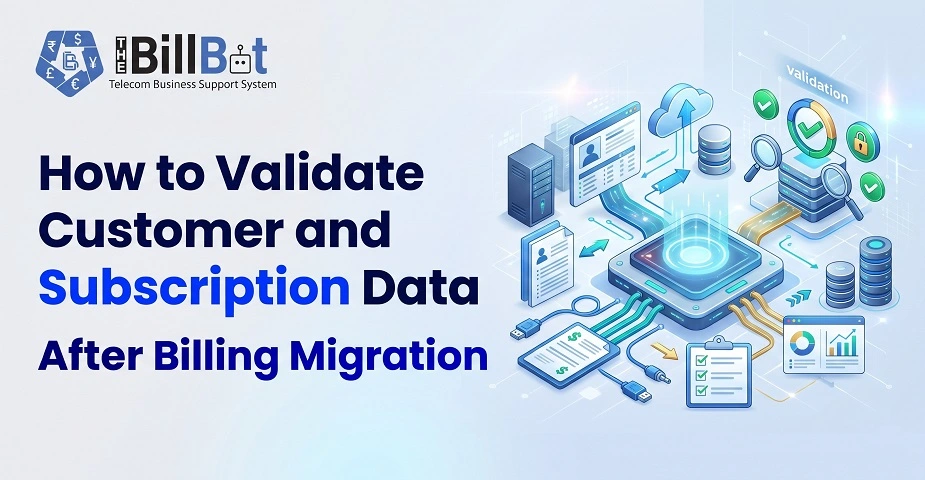
Table of Contents
- 1. Why Billing Migration Data Validation Matters
- 2. Create a Complete Data Inventory Before Validation
- Customer information
- Subscription information
- Billing information
- 3. Validate Customer Records for Accuracy and Completeness
- Check customer record counts
- Verify customer identifiers
- Review contact and billing details
- Confirm customer status
- 4. Perform Subscription Data Validation
- Verify subscription relationships
- Confirm subscription status
- Check start dates, end dates, and renewals
- Verify pricing and plan information
- 5. Check Billing Cycles and Payment Schedules
- Monthly, quarterly, and annual billing
- Customer-specific billing dates
- Proration and mid-cycle changes
- 6. Reconcile Data Between the Old and New Billing Systems
- 7. Test Billing Scenarios Before Going Live
- Test scenario 1: Standard recurring subscription
- Test scenario 2: Multiple subscriptions under one customer
- Test scenario 3: Usage-based billing
- Test scenario 4: Subscription upgrade or downgrade
- Test scenario 5: Cancelled subscription
- Test scenario 6: Payment and outstanding balance
- 8. Use Automated Validation Tools and Reports
- 9. Identify and Resolve Migration Discrepancies
- 10. Monitor the First Billing Cycle After Migration
- 11. Create a Billing Migration Data Validation Checklist
- Customer validation checklist
- Subscription validation checklist
- Billing validation checklist
- Final migration approval
- Conclusion
- Frequently Asked Questions (FAQs)
- 1. What is Billing Migration Data Validation?
- 2. Why is customer data validation important after billing migration?
- 3. How do you validate subscription data after migration?
- 4. What are the most common billing migration errors?
- 5. How can businesses automate billing migration testing?
- 6. Should businesses validate billing data before or after migration?
- 7. How can businesses prevent incorrect invoices after migration?
- 8. What is the best way to ensure data integrity during billing migration?
Author : Bhargav
Published : 24 Nov 2026
Related Articles
Explore more insights
23 Nov 2026 / Bhargav
How to Manage Different Billing Dates Across Telecom Customer Accounts
21 Nov 2026 / Bhargav
Supplier Rate Management: How Telecom Providers Keep Rates Updated
20 Nov 2026 / Bhargav