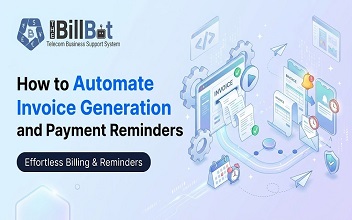
Managing invoices and following up on unpaid payments are essential parts of running a business. However, when these activities are handled manually, they can consume valuable time, create unnecessary errors and make it difficult to maintain a consistent cash flow.
As a business grows, the number of customers, transactions and invoices also increases. Creating invoices individually, checking payment statuses and sending reminders to customers can quickly become difficult to manage.
This is where Invoice Automation becomes valuable. It helps businesses simplify their billing processes by automatically generating invoices, tracking payment statuses and sending reminders when payments are approaching or past their due dates.
For telecom providers, VoIP businesses, IT service providers and Managed Service Providers (MSPs), automation can make an even bigger difference. These businesses often manage recurring subscriptions, usage-based charges, service renewals and multiple billing cycles.
In this guide, we will explore how invoice automation works, how businesses can automate invoice generation and payment reminders, and how the right billing solution can improve overall financial operations.
1. What Is Invoice Automation?
Invoice Automation is the process of using software to create, manage, distribute and track invoices with minimal manual involvement.
Instead of preparing every invoice individually, businesses can configure billing rules and allow the system to generate invoices automatically based on customer information, products, services, pricing and billing schedules.
An automated invoicing system can also monitor outstanding payments and send reminders according to predefined schedules.
For example, when a customer subscribes to a monthly service, the system can automatically:
Generate an invoice based on the customer's subscription.
Calculate applicable service charges.
Apply the correct pricing and billing rules.
Send the invoice directly to the customer.
Track the invoice's payment status.
Send reminders before or after the payment due date.
This approach reduces repetitive administrative work and gives businesses better control over their billing activities.
2. Why Do Businesses Need Automated Invoice Generation?
Manual invoicing might work for businesses with only a few customers. However, as operations expand, managing invoices manually becomes increasingly challenging.
Here are some common problems that automated invoice generation can help solve.
Reduces Manual Work
Creating invoices manually requires employees to collect customer details, calculate charges, prepare documents and send them individually.
Automated Invoice Generation eliminates much of this repetitive work by using existing customer and billing information.
Minimises Billing Errors
Manual calculations and data entry can lead to incorrect charges, missing information and duplicate invoices.
Automation applies predefined billing rules consistently, helping businesses reduce common invoicing mistakes.
Saves Time
Generating hundreds of invoices manually can take considerable time. Automated systems can process large volumes of invoices much faster, allowing employees to focus on customer service and business development.
Improves Billing Consistency
Every customer should receive accurate invoices with clear descriptions, pricing and payment information.
Automated systems help maintain consistent invoice formats, billing schedules and payment terms across the business.
Supports Business Growth
As the customer base increases, manual invoicing becomes harder to manage. Automated Invoicing Software allows businesses to handle growing invoice volumes without increasing administrative work at the same rate.
3. How to Automate Invoice Generation Step by Step
Automating invoice generation does not have to be complicated. Businesses can gradually move from manual billing activities to a structured automated workflow.
Here are the important steps to consider.
Step 1: Centralise Customer Information
Start by maintaining accurate customer records in one system.
Important information includes:
Customer name and contact details.
Billing address and account information.
Selected products and services.
Agreed pricing and discounts.
Billing frequency and payment terms.
Tax and invoice requirements.
Having centralised information reduces repeated data entry and helps ensure invoices contain the correct details.
Step 2: Configure Products, Services and Pricing
Every business may have different pricing structures. For example, telecom providers may charge customers through monthly subscriptions, call usage, broadband packages, DID numbers and additional services.
An automated billing system should support different charging models and apply the appropriate pricing rules.
This is particularly important for businesses that offer both fixed monthly charges and usage-based services.
Step 3: Set Up Automated Billing Schedules
Define when invoices should be generated.
Depending on the business model, billing schedules may include:
Weekly billing.
Monthly billing.
Quarterly billing.
Annual billing.
Custom billing cycles.
Once these schedules are configured, the system can generate invoices automatically on the relevant dates.
Step 4: Automate Invoice Creation and Delivery
After configuring customer information, pricing and billing schedules, businesses can enable Automated Invoice Generation.
The system can calculate applicable charges, prepare invoice documents and send them to customers through email or other supported communication channels.
Before enabling full automation, test the invoice templates, calculations and customer details to make sure everything is correct.
Step 5: Monitor Invoice Status
Invoice generation is only one part of the process. Businesses also need to know whether invoices have been sent, viewed, paid or become overdue.
A centralised invoice dashboard makes it easier for finance teams to monitor outstanding balances and identify invoices that require attention.
4. How to Automate Payment Reminders
Following up on unpaid invoices is often one of the most time-consuming responsibilities for finance teams.
When reminders are sent manually, employees must regularly check due dates, identify outstanding balances and contact customers individually.
Automated Payment Reminders help simplify this process by sending notifications according to predefined schedules and invoice statuses.
Here is how businesses can organise an effective reminder workflow.
Send Reminders Before the Due Date
Customers sometimes forget payment deadlines, even when they intend to pay on time.
Sending a friendly reminder a few days before the due date gives customers an opportunity to arrange payment.
The notification should include the invoice number, outstanding amount, payment deadline and payment instructions.
Send Notifications on the Due Date
A reminder on the payment due date helps customers understand that the invoice is now due.
This notification should be professional, polite and straightforward.
Follow Up on Overdue Invoices
When customers miss payment deadlines, the system can send Overdue Invoice Reminders according to the configured collection schedule.
For example:
These timings are examples rather than universal rules. Businesses should adjust their reminder schedules according to payment terms, customer relationships and internal collection policies.
Stop Reminders After Payment
One important part of Payment Collection Automation is ensuring that customers do not continue receiving payment reminders after settling their invoices.
Where the system supports payment status synchronisation, reminders should automatically stop or update once payment is recorded.
This creates a better customer experience and reduces unnecessary communication.
5. The Role of Invoice Management Software
Managing invoices, payment records and outstanding balances through separate spreadsheets can make financial operations difficult to control.
Invoice Management Software provides a centralised environment for organising the invoicing process.
Depending on the platform, useful capabilities may include:
Automated invoice creation and distribution.
Customer billing history.
Recurring invoice management.
Invoice status tracking.
Payment records and reconciliation.
Outstanding balance monitoring.
Automated payment notifications.
Financial reports and dashboards.
The main advantage is visibility. Instead of searching through different files and email conversations, employees can access relevant billing information from one place.
For telecom providers and IT service businesses, connecting customer accounts, service information, billing and payments can make the entire process more organised.
6. How Recurring Invoice Automation Helps Subscription Businesses
Businesses that offer subscriptions or ongoing services regularly generate invoices for existing customers.
Preparing these invoices individually every month creates unnecessary administrative work.
Recurring Invoice Automation allows businesses to generate invoices according to predefined schedules.
For example, a VoIP provider may offer a monthly calling package with a fixed subscription charge. Instead of creating a new invoice manually every month, the billing system can automatically generate the invoice according to the customer's billing cycle.
Recurring billing can also support:
Monthly software subscriptions.
Broadband services.
DID number rentals.
Managed IT services.
Annual maintenance contracts.
Monthly telecom service packages.
Businesses should also account for changes in subscriptions, cancellations, upgrades, discounts and additional charges.
A well-configured automated system can make recurring billing more manageable while reducing the risk of missed billing dates.
7. Invoice Processing Automation for Telecom Providers
Telecom businesses often have more complicated billing requirements than businesses that charge a simple fixed subscription fee.
A single customer may use multiple services, including voice calling, broadband, DID numbers, extensions and additional communication packages.
Some charges are recurring, while others depend on actual service usage.
This is where Invoice Processing Automation becomes especially useful.
A suitable Telecom Billing Software solution can connect several billing activities:
Customer management: Maintain customer account information and active services.
Usage collection: Collect relevant usage records and Call Detail Records (CDRs).
Usage calculation: Apply configured rates to calculate service usage charges.
Recurring billing: Calculate subscriptions and regular service fees.
Invoice generation: Combine applicable charges into customer invoices.
Payment tracking: Monitor received payments and outstanding balances.
Payment reminders: Notify customers about upcoming and overdue payments.
Connecting these activities helps reduce disconnected workflows and gives finance teams better visibility into billing operations.
For example, when a VoIP customer uses additional calling services during a billing period, the system can process supported usage records, calculate the applicable charges and include them in the relevant invoice.
This makes Automated Billing Software particularly valuable for growing telecom businesses.
8. Best Practices for Successful Invoice Automation
Implementing automation is not just about selecting software. Businesses also need to establish reliable processes to ensure invoices and payment notifications remain accurate.
Consider these best practices:
1. Maintain accurate customer records: Regularly review customer information, billing addresses and payment terms.
2. Review pricing configurations: Ensure that subscription charges, usage rates, discounts and additional fees are correctly configured.
3. Use clear invoice templates: Include invoice numbers, service descriptions, billing periods, payment terms and outstanding amounts.
4. Set appropriate reminder schedules: Avoid sending too many notifications. Keep reminders relevant and professional.
5. Monitor unpaid invoices: Review outstanding balances regularly and investigate delayed payments.
6. Integrate payment systems: Where possible, connect payment gateways and accounting systems to improve payment visibility and reconciliation.
7. Protect financial information: Use suitable access permissions, secure integrations and appropriate data protection practices.
8. Review automation regularly: Monitor invoice accuracy, failed notifications and payment records to identify problems early.
These steps help businesses build an automation process that remains reliable as operations grow.
9. How The Bill Bot Simplifies Invoice Automation
For VoIP providers, ITSPs and MSPs, managing customers, subscriptions, usage charges, invoices and payments through disconnected systems can create unnecessary complexity.
The Bill Bot provides a cloud-based Business Support System (BSS) designed to help service providers manage and automate their billing operations.
Its capabilities include:
Automated Invoicing: Generate, send and track invoices automatically.
Recurring Charges: Manage regular subscription and service charges.
Usage-Based Billing: Calculate charges based on customer usage.
Payment Reminders: Send notifications before and after invoice due dates.
Payments and Collections: Track transactions and outstanding balances.
Reports and Analytics: Monitor revenue, invoices, payments and business performance.
By bringing these activities together, The Bill Bot helps businesses reduce manual billing work and manage their financial operations more efficiently.
Business Support System for VoIP Provider+2
Explore the Bill Bot Business Support System to learn more about its billing and automation capabilities.
10. Conclusion
Invoice automation is becoming an important part of modern business operations. As customer numbers and billing requirements increase, relying on manual invoice generation and payment follow-ups can create unnecessary delays, errors and administrative pressure.
By implementing Invoice Automation, businesses can generate invoices on time, manage recurring charges, track payment statuses and send reminders without depending on repetitive manual activities.
For telecom providers, VoIP businesses, ITSPs and MSPs, automation also helps connect customer management, service usage, billing and payment collection within a structured workflow.
Choosing the right Automated Billing Software can help businesses improve operational efficiency, maintain better financial visibility and support long-term growth.
With the right processes and technology in place, businesses can spend less time managing invoices and more time focusing on customers, service quality and business development.
Frequently Asked Questions (FAQs)
1. What is Invoice Automation?
Invoice Automation is the use of software to generate, send, manage and track invoices automatically. It reduces manual data entry, improves billing consistency and saves administrative time.
2. How does Automated Invoice Generation work?
Automated Invoice Generation uses customer information, service details, pricing rules and billing schedules to prepare invoices automatically. The system can then distribute invoices to customers through supported communication channels.
3. How can businesses automate payment reminders?
Businesses can configure automated reminders based on invoice due dates and payment statuses. Notifications can be sent before the due date, on the due date and after an invoice becomes overdue.
4. What are the benefits of Invoice Management Software?
Invoice Management Software helps businesses organise billing records, generate invoices, monitor outstanding payments, manage recurring charges and improve financial visibility.
5. Can Invoice Automation handle recurring payments?
Yes. Many automated billing platforms support recurring invoice generation for monthly, quarterly and annual subscriptions. The exact capabilities depend on the software and its configuration.
6. How does Invoice Processing Automation reduce errors?
It reduces repetitive manual data entry and applies predefined billing rules consistently. However, businesses should still validate customer information, pricing configurations and transaction records.
7. Is Invoice Automation useful for telecom providers?
Yes. Telecom providers can use automation to manage recurring subscriptions, usage-based charges, CDR billing, invoice generation and payment reminders. It is particularly useful for businesses managing multiple services and billing cycles.
8. What should businesses look for in Automated Invoicing Software?
Businesses should look for automated invoice generation, recurring billing, flexible pricing, payment reminders, invoice tracking, reporting, integrations, security and scalability.
9. Can Automated Payment Reminders improve cash flow?
Automated Payment Reminders can encourage customers to pay on time by providing consistent notifications about upcoming and overdue invoices. They can also reduce the time employees spend on manual follow-ups.
10. How can The Bill Bot help with invoice automation?
The Bill Bot helps VoIP providers, ITSPs and MSPs manage billing activities through features such as automated invoicing, recurring charges, usage-based billing, payment reminders and reporting.